A designer finishes your new brand, sends the files and tells you which fonts to use. A month later, you open a flyer to change the phone number and the lettering changes. Your website looks right, but nobody knows which account supplies its fonts. Font licensing for small business belongs in the handover conversation, while everyone is still available to answer questions.
For a business in Pakenham, Berwick or Bunyip, the practical question is simple: can the people doing your everyday marketing use the brand as intended? Start with the jobs you need to do, then ask your designer to document the permissions and access behind them. A beautiful sample layout is only part of a useful handover.
Separate finished artwork from editable files
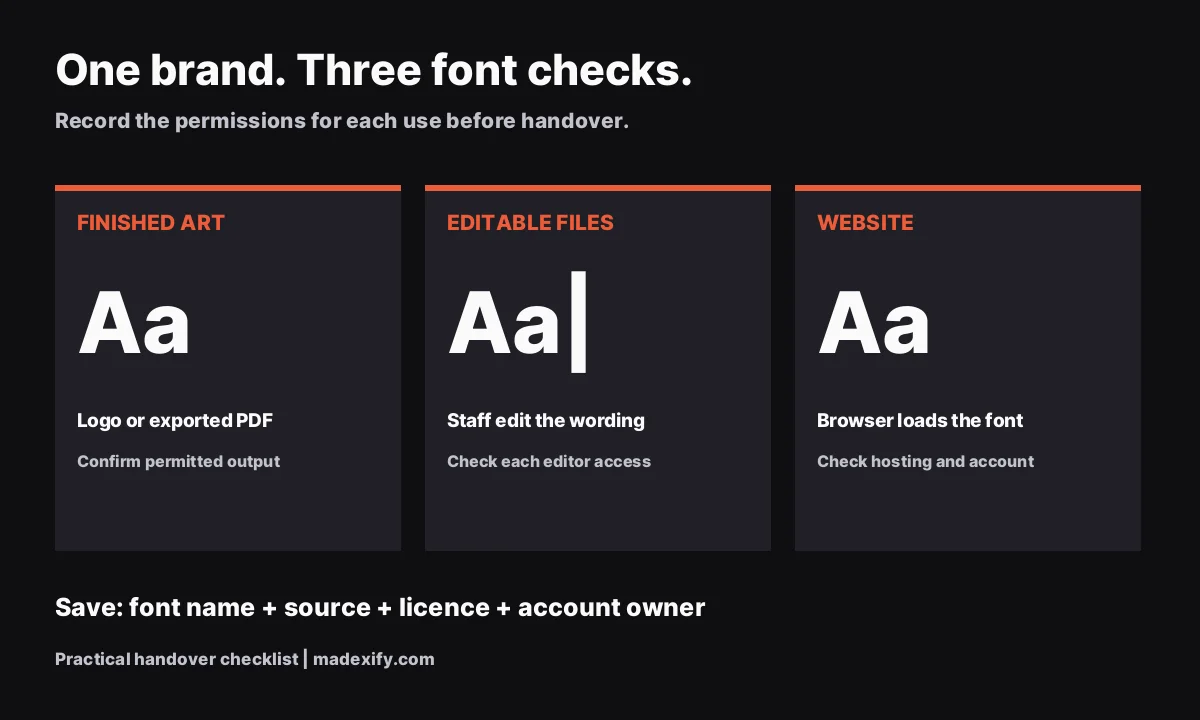
Think about three different tasks: putting a finished logo on an invoice, changing the text in a brochure and displaying headings on a website. They may use the same typeface, but the files and access involved differ. Ask about each task separately rather than accepting a general assurance that the font is included.
Adobe provides a useful example. Its font licensing FAQ says a client receiving graphics or documents with rasterised or properly embedded font data does not need a separate font licence. If the client needs direct font access to edit a design, they need their own licence. Adobe also prohibits packaging its font files for transfer to a printer or collaborator.
These are Adobe’s rules for its service, not a universal rule for every font. Use them as a reason to ask precise questions. Our guide to logo file formats helps with choosing the right artwork file; the next step is identifying who will need to change the wording.
Make font licensing part of the business brief
Before approving a typeface, write a short list of where it must work. Include the less glamorous materials: quotes, price lists, staff presentations and supplier order forms. Those are often the documents somebody needs to edit quickly without calling a designer.
- Who edits? Name the roles, such as the owner, office administrator and external designer.
- Where do they edit? List the actual applications and accounts they use.
- What is published? Separate exported graphics, printed materials, editable templates and website text.
- What changes later? Note planned staff access, another website or a new supplier.
For example, imagine an Officer trades business updating a price list every quarter. A sensible acceptance check is to have the person responsible open the template, change a line and export it. This is a suggested test, not a result from a client project. It reveals whether the handover supports the real task instead of just looking complete in a folder.
Check whose account supplies the website fonts
A website deserves its own entry in the handover notes. Ask the developer to name the font source, explain whether the site loads fonts from a service or its own hosting, and identify the account responsible. Keep those details alongside your hosting and domain records.
For Adobe Fonts on websites, Adobe says a client’s site must use the client’s own Creative Cloud subscription. Its web service requires the supplied embed code and does not permit copying those font files onto your hosting. If the subscription is cancelled, the site uses fallback fonts instead. Other suppliers can have different terms.
Ask for a short demonstration of the fallback, meaning the substitute font used when the preferred one is unavailable. Check the menu, buttons and main headings. The goal is a readable page with sensible wrapping, and a clear record of who can maintain the font setup when your developer changes.
Consider an open-licensed option before committing
If keeping ongoing dependencies low matters to you, ask your designer to include an open-licensed typeface in the shortlist. Compare it using the same sample materials as the other candidates. Make that comparison before the website and print files are built around one choice.
The Open Font License guidance permits using OFL fonts for commercial design work and websites, including self-hosting. When giving the font files to others, retain the original licence and copyright information. Using a font in artwork and redistributing the font itself are different activities.
Do not treat a download button or a folder labelled “free fonts” as evidence of those permissions. Ask for the original source and the licence attached to that exact font. If the paperwork is unclear, choose an option your team can verify rather than building the brand around an unresolved assumption.
Ask for a font record with the handover
A simple document is enough. Create one entry per font family and keep it next to the brand style guide. The style guide explains how the brand should look; this record explains how the team can keep using the chosen type.
- Exact identity: family name, supplier, version if available, and the weights actually used.
- Source and terms: official download or supplier page, the relevant licence, and the date checked.
- Business use: where the font appears and which uses have been confirmed.
- Responsible account: who manages access, renewals if applicable, and requests from new editors.
- Working materials: links to templates, approved exports and the website font notes.
- Handover action: any unanswered question, who will resolve it, and the agreed alternative if necessary.
Keep passwords in your password manager rather than inside the design folder. Give the team a clear route to request access. A record that simply says “ask the designer” is unfinished if the whole purpose is to let someone else maintain the materials later.
Test the next ordinary job before signing off
Pick one editable document and one website page for a handover check. Ask the intended editor to make a harmless change in a copy of the document. Then have the developer show the font source and fallback on the website. Record any missing access or unexplained dependency while it is still easy to resolve.
If you already have a brand, start with the assets you use most. Ask the previous designer for the font names and source links before commissioning replacement work. You may only need clearer records or a revised template. Agree on any additional cost before taking a route that requires another licence or subscription.
Madexify’s branding and visual identity services can help make those handovers practical for businesses across Melbourne’s south-east. Email contact@madexify.com or call +61 424 485 087 for a look at your current setup. If your existing files and access are sufficient, we will say so.
Madexify is not a law firm, and this is not legal advice. Check the current licence for your specific font and use the suppliers’ free guidance linked above; obtain legal advice if your rights remain unclear.
Sources: Adobe font licensing FAQ; Adobe web font licensing; Using OFL fonts.
This article is part of our Small Business Branding Guide. Browse all our guides on the guides page.